Website Traffic Checker
Check estimated monthly visits for a domain in the AdSense publisher index, along with its traffic sources and top countries.
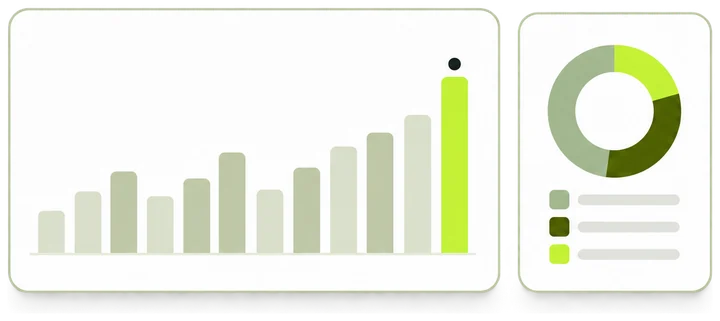
What opens after you submit
- Monthly visits Estimated visits month by month, each labeled with the month it describes.
- Sources and countries Where the visits come from and the top visitor countries, when we have them.
- Gaps stay blank A month without an estimate is left empty, never shown as zero. The chart runs back to the first month we hold.
How the traffic check works
Enter one domain. The check cleans up the name and opens that domain’s traffic page, where the monthly estimates are kept.
-
Enter a domain
Type example.com, or paste a full URL. Only the host name is kept.
-
We clean up the name
Scheme, www, path and port are removed and letters are lowercased. An IP address or a reserved name stops here with a message.
-
The traffic page opens
You land on /traffic/example.com. Monthly visits and the data month sit at the top.
-
Read months, sources and regions
Visits over time, traffic sources and top regions follow further down the same page.
- Domain per check
- 1
- Traffic channels the sources breakdown can show
- 10
- Engagement readouts beside the chart
- 3
- Day a new data month usually opens
- 15th

What the traffic page shows
The check hands you the domain’s traffic page. These are the parts of that page that answer traffic questions.
-
Monthly visits
Estimated visits in the latest data month, with the month beside the figure and the change on the month before.
-
Visits over time
One point per month, from the first month we hold to the latest. The range buttons switch between 1Y, 3Y and All.
-
Engagement
Average visit duration, pages per visit and bounce rate, set beside the chart.
-
Traffic sources
Each channel’s share of visits over the last 30 days, such as Direct, Organic Search, Referrals or AI Assistants.
-
Top regions
The countries sending the most visits, each with its share of the total.
-
AdSense reverse lookup
The AdSense publisher IDs our index links to the domain, a preview of the other sites recorded with them, and a button to the full list.
The same page also carries Domain Rating, a display-ad revenue benchmark, top organic keywords, WHOIS, DNS records and archive history.
Visits, visitors and pageviews
The headline figure counts visits. One small, made-up month shows how visits, visitors and pageviews differ.
-
Visitors
People, counted once each. A visitor who comes back is still one visitor, so visitors run lower than visits.
-
Visits
Sessions on the site. Every return adds one. Monthly visits is the figure the traffic page reports.
-
Pageviews
Pages loaded across all visits. Display-ad revenue is priced per 1,000 pageviews.
-
Pages per visit
Pageviews divided by visits. The traffic page shows it beside the chart, and visits times pages per visit gives monthly pageviews.
Reading a result
Submitting opens the domain’s traffic page. The parts that answer traffic questions appear in this order.
-
Monthly visits
Estimated visits in the latest data month, the month itself, and the change on the month before as a percentage. A dash means no estimate for that month.
-
Meta row
Registration date, Domain Rating, backlinks, linking sites and the latest data month. Rating and links come from a third party and can arrive a moment later.
-
AdSense reverse lookup
The publisher IDs our index links to the domain, lower on the page, with a preview of the sites recorded with them. Verify live placements reads the ad code on the live site.
-
Visits over time
One point per month from the first month we hold to the latest. A break in the line marks a month without an estimate. 1Y, 3Y and All change the range, and By channel splits each month by its source mix.
-
Engagement
Average visit duration, pages per visit and bounce rate from the traffic source. A dash means the source has not answered yet.
-
Traffic sources
Each channel’s share of visits over the last 30 days. The sentence above the chart names the largest channel.
-
Top regions
The countries sending the most visits, each with its share of the total.
How the monthly change is worked out
The traffic page sets the data month against the calendar month before it. This teaching example uses made-up figures.
-
A gap
June has no estimate. The chart breaks its line there, and the tooltip reads Visits: Unavailable.
-
No change across a gap
The change needs the data month and the month right before it. With June missing, the page shows July’s visits on their own.
-
Change in visits
The data month minus the month before. The sentence above the chart spells it out, for example an increase of 20.0K.
-
Change in percent
The change divided by the month before, times 100, rounded to one decimal. It is left out when the month before is zero.
Result states
The traffic page, or the workbench above, shows one of these. Each calls for a different next step.
Where the numbers come from
Visits are modeled estimates from public signals. Each part of the traffic page names the month or window it covers.
- Monthly visitsUpstream model
- Estimates from an upstream data supplier. PubMonitor shows them as delivered.
- Data monthMonthly
- Each figure belongs to the month the visits happened. The latest one is printed beside the headline figure.
- Traffic sourcesLast 30 days
- Channel shares from the traffic source for the last 30 days, marked as estimates on the card.
- Top regionsLatest month
- Country shares of visits from the same source.
- Engagement
- Average visit duration, pages per visit and bounce rate from the same source.
- Domain Rating and backlinksThird party
- Fetched from a third-party service when the page opens, then cached for a while.
Stored monthly history covers domains in our AdSense publisher index, which holds sites observed with a publisher ID. For other domains, signed-in users can ask the data source for an estimate.
What can change the numbers
The same traffic page can show different figures on two visits. These are the usual reasons.
- A new data month
- A new month usually opens around the 15th and covers the month before. The headline figure moves to it.
- Two windows
- Sources cover the last 30 days and visits cover a data month, so the two can describe different stretches of time.
- Channel regrouping
- When the traffic source regroups its channels, By channel marks the month of the change. Compare lines across that marker with care.
- Site changes
- Migrations, redirects to a new domain and seasonal swings show up as drops or jumps in the monthly line.
- Host name
- www. is removed, so www.example.com and example.com read the same record. A subdomain keeps a record of its own, if it has one.
- Cached lookups
- Domain Rating, backlinks and archive history are fetched on request and cached, so they can trail their source.
What to enter
A domain is all the check needs. Anything after the host name is dropped.
Accepted
example.comA bare domain.
blog.example.comA subdomain is checked as its own host.
example.co.ukCountry endings work like any other.
Changed before the check
-
https://www.example.com/post?id=7becomesexample.comScheme, www, path and query are removed.
-
Example.COMbecomesexample.comLetters are lowercased.
-
example.com:8080becomesexample.comPort numbers are dropped. Names in other scripts are converted to their ASCII form.
Not accepted
pub-XXXXXXXXXXXXXXXXPublisher IDs belong in Reverse AdSense Lookup.
localhostA name without a dot is not a public site.
192.0.2.10IP addresses are not checked.
intranet.localReserved endings such as .local, .test and .internal are not checked.
Example checks
Four entries and what each one opens. Every example uses a placeholder domain or ID.
A domain in the index
example.com
- You see
- The traffic page opens with Monthly visits and the data month at the top, then Visits over time.
- What it means
- The index holds estimates for the domain. The headline figure describes the latest data month.
- Next
- Switch the chart to All, then read the sources and regions further down.
A month without an estimate
example.org
- You see
- The monthly line breaks at one month, and its tooltip reads Visits: Unavailable.
- What it means
- The source has no estimate for that month. The months on either side keep their own figures.
- Next
- Compare the months around the gap, and leave the gap out of any average.
A domain outside the index
example.net
- You see
- Signed out, the chart area reads Sign in to load a traffic estimate.
- What it means
- We hold no stored estimate for the domain. Signed-in users can ask the data source, and some domains have no data.
- Next
- Sign in and reload, or pick a domain from the rankings.
A publisher ID in the field
pub-XXXXXXXXXXXXXXXX
- You see
- Check the input and try again, with the line Enter a public domain to check estimated visits in the AdSense publisher index.
- What it means
- This checker takes domains only.
- Next
- Look the ID up in Reverse AdSense Lookup to see the sites recorded with it.
Before you use a traffic estimate
An estimate is a starting point. These checks keep a comparison fair.
-
Read the data month
Every figure belongs to one month. Compare sites in the same month.
-
Look at more than one month
Switch the chart to 1Y or All. A single month can be a seasonal high or low.
-
Tell a gap from a zero
A break in the line is a month without an estimate. A recorded zero sits on the axis.
-
Compare estimates with estimates
A site’s own analytics count with their own rules. Compare sites with each other here, and your site with your own analytics.
-
Turn visits into pageviews first
Revenue follows pageviews. Multiply visits by pages per visit, or let the Website Earning Checker do it.
-
Check the host after a move
After a migration the traffic sits on the new host. Check the domain the site redirects to.
Questions this check leaves to other tools
Monthly visit estimates answer one question well. These questions need a different source.
Website Traffic Checker and related tools
Four tools start from traffic or lead to it. Pick by the question you have.
| Website Traffic Checker This tool | Website Earning Checker | AdSense Revenue Calculator | Reverse AdSense Lookup | |
|---|---|---|---|---|
| Answers | About how many monthly visits a domain gets | What a site might earn from display ads | What a number of pageviews could earn in a category and region | Which sites share a publisher ID with a domain |
| You enter | A domain | A domain | Pageviews, category and region | A domain or a pub- ID |
| It reads | Our monthly index and its visit estimates | The monthly index and a benchmark RPM | A benchmark RPM matrix | Our monthly index |
| Result | The domain’s traffic page | A revenue estimate with each input named | Monthly and annual baselines | Publisher IDs and the sites recorded with them |
Who checks website traffic
A monthly visit estimate settles a few practical questions before anyone asks for private analytics.
-
Site buyers
Test a listing’s traffic claim against the monthly estimates before you ask for analytics access.
-
Ad sales and agencies
Size a publisher’s audience and its main countries before an outreach call.
-
Publishers
Set your site beside others in its category, month by month.
-
Researchers
Follow a site’s visits over time and note the month its channel mix shifts.
Terms used on the traffic page
The words on the traffic page, with what each one counts.
- Visit
- One session on the site. A person who comes back adds another visit.
- Visitor
- One person, counted once however often they return.
- Pageview
- One page loaded. A visit can include several.
- Pages per visit
- Pageviews divided by visits.
- Bounce rate
- The share of visits that viewed one page and left.
- Data month
- The month an estimate describes. It opens around the 15th of the month after.
- Traffic channel
- Where visits came from: direct, search, social, referrals, email, display ads, AI assistants or affiliates.
- Gap
- A month without an estimate. The chart breaks its line there.
- AdSense publisher index
- Our monthly dataset of sites observed with an AdSense publisher ID.
Common questions
Why is a month missing from the chart?
The source has no estimate for that month. The line breaks there and the tooltip reads Visits: Unavailable. A month with a recorded zero shows as 0.
Does a zero mean nobody visited?
It means the estimate for that month was zero. The site’s own analytics can still record visits for the same month.
Why do the numbers differ from my analytics?
Your analytics measure your own site with your own rules. These figures come from a model, so they work best for comparing sites with each other.
How far back does the history go?
The chart starts at the first month we hold for the domain and ends at the latest data month. Use 1Y, 3Y or All to change the range.
How often are the numbers updated?
Once a month. A new data month usually opens around the 15th and covers the month before.
Can I check a domain that is not in the index?
The checker accepts any public domain and opens its traffic page. For a domain outside the index, signed-in users can ask the data source for an estimate, and some domains have none.
Does this show traffic from my AdSense account?
It never connects to an account. It works as an AdSense traffic checker for public sites: estimated visits for domains observed with an AdSense publisher ID.
Can I use visits to estimate revenue?
Revenue follows pageviews. Multiply visits by pages per visit first, or let the Website Earning Checker apply a benchmark RPM for you.
Can an AI assistant read these numbers?
Yes, through the PubMonitor MCP server. A free account can create a key, and the traffic trend tool returns the monthly series with gaps left empty.
Check another domain
Enter a domain in the checker above. Its traffic page opens with the latest data month.