Reverse AdSense Lookup
Find the AdSense publisher IDs recorded on a domain, or the sites recorded with a publisher ID, in our monthly index.
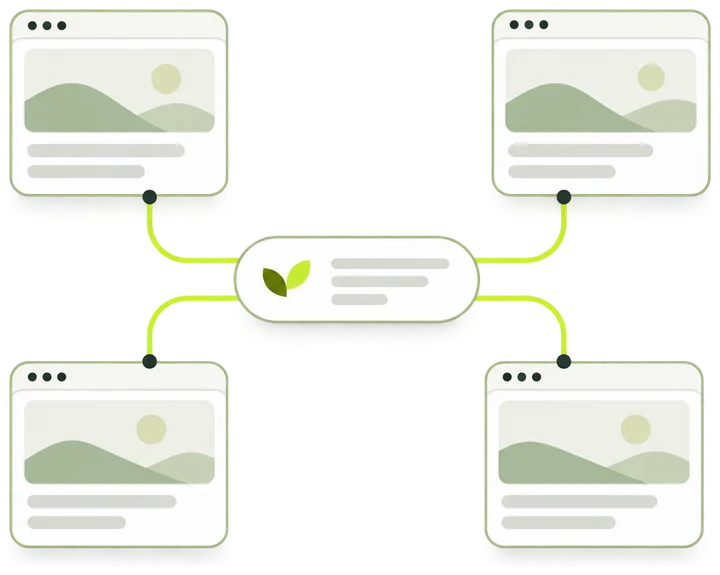
What opens after you submit
- From a domain Every publisher ID recorded on it. Pick one to see how many sites share it.
- From a pub- ID The sites recorded with that ID, with estimated monthly visits and the data month.
- What you can open Rows past your plan’s preview stay locked. A site without an estimate shows a blank, never zero.
How the lookup works
Enter a domain or a publisher ID. The lookup reads our monthly index and opens a result page for what you entered.
-
Enter a domain or an ID
Type a domain such as example.com, or a publisher ID such as pub-XXXXXXXXXXXXXXXX. A full URL works too.
-
We read the monthly index
The index links sites to the publisher IDs seen in their ad code. The lookup reads what is stored, so it answers the same way whether the site is up or down.
-
A result page opens
A domain opens /adsense/example.com with every ID recorded on it. An ID opens /adsense/pub-XXXXXXXXXXXXXXXX with the sites recorded with it.
-
You read the sites
Each site comes with estimated monthly visits for the data month, its categories and its registration date.
- Ways in: a domain or a publisher ID
- 2
- Digits after pub- in a publisher ID
- 16
- Rows per page of a list
- 60
- Day a new data month usually opens
- 15th
What a lookup returns
A domain lookup starts with the IDs recorded on the domain. A publisher ID lookup goes straight to its sites. Both pages share these parts.
-
Publisher IDs on a domain
Every ID the index records on the domain. Pick one to switch the list of sites.
pub-XXXXXXXXXXXXXXXX -
Active marker
Marks an ID that the upstream record saw on the site in the last 30 days.
-
Observed domains
How many sites the index records with the selected ID. The count covers the whole list.
-
With visits and combined visits
How many of those sites have estimated visits above zero, and their visits added together.
-
Site rows
Rank, name, categories, visits in the data month and the month before, and registration date.
-
Data month
The month the list describes. Earlier months open as far back as your plan allows.
How a site joins a publisher’s list
Every site that shows ads for one AdSense account carries that account’s publisher ID in its ad code. The index records where the ID appears.
-
Served ad code
The upstream index links a site to an ID when the ID shows up in the ad code the site serves publicly, or in related public traces of that code.
-
A second site, same ID
Another site serving the same ID joins the same list. The result shows both under that ID for the data month.
-
An ads.txt line on its own
A seller line in ads.txt does not put a site on a list. Such lines can be copied, resold or left in place after a change.
-
The form you enter
Page code writes ca-pub- and results write pub-. Both name the same account. Enter the pub- form in the lookup.
Reading a result
A domain lookup opens the page below. A publisher ID opens the same list under a header with the ID, its data month and the date it was added to PubMonitor.
-
Domain and ID count
The domain you entered, after cleanup, and how many publisher IDs the index records on it.
-
Publisher ID chips
One chip per ID. Active IDs come first, then IDs with more sites. The selected chip decides every figure below it.
-
Next links
Traffic for the domain opens its traffic page. Publisher page opens the selected ID on a page of its own.
-
Portfolio snapshot
Observed domains, With visits and Combined estimated monthly visits for the selected ID, labeled with the data month.
-
Count line and controls
The count line says how many of the observed sites the list shows. The month row switches data month, and the sort switches between visits, growth and registration.
-
Site rows
Rank, name, categories, current visits with the change on the month before, previous visits and registration date. A dash stands for no estimate above zero.
-
Locked rows
Rows past your plan’s limit keep their rank and hide the site. The card under the list says how many names the next plan shows.
Result states
The result page, or the workbench above, shows one of these. Each calls for a different next step.
Where the index comes from
Every answer comes from stored monthly data. Each result page names the month it describes.
- Publisher indexMonthly
- Built upstream from publicly served pages and refreshed each month. It links each site to the publisher IDs seen in its ad code.
- Data monthOn every page
- The month a list and its visit figures describe. It dates the dataset as a whole, so it does not tell you when a site was first or last seen with an ID.
- Estimated visitsUpstream model
- Monthly visit estimates from an upstream data supplier, shown as delivered. A site without an estimate above zero shows a dash.
- Categories and descriptions
- Assigned upstream from each site’s public content. A site can sit in more than one category.
- Added to PubMonitor
- On a publisher page, the date the ID entered our index. The account behind it can be much older.
The index lists websites observed with an AdSense publisher ID. A site we have not recorded opens the Website not in the index page, whatever it runs today.
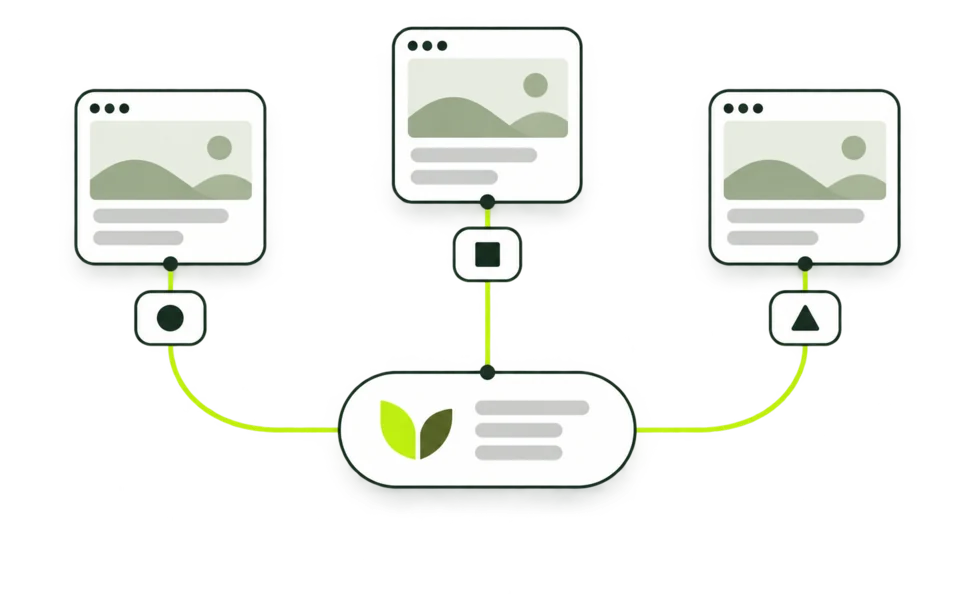
What can change a result
Two lookups of the same domain or ID can differ. These are the usual reasons.
- A new data month
- A new month usually opens around the 15th and covers the month before. Lists, counts and visits move to it together.
- Code on the site
- A site that drops an ID, adds a partner’s ID or moves to another account shows the change in a later month.
- The month you pick
- An older month shows the list as it was recorded then. A site can sit on the list one month and leave it the next.
- The sort
- Visits, growth and registration order the same sites differently, so each site’s rank follows the sort you choose.
Named sites and months by plan
Every plan sees the same list and the same counts. Plans differ in how many sites carry a name and how many data months open.
- Signed out10 names · 3 months
- The first 10 rows of each list show site names. The 3 latest data months open.
- Free account25 names · 6 months
- The first 25 rows of each list show site names. The 6 latest data months open.
- Pro100 names · 36 months
- Every site on lists of up to 50 sites, and the first 100 on longer lists. 36 data months open.
- Business1.0K names · 60 months
- The first 1.0K sites on long lists and 60 data months.
Rows past the limit keep their rank and show a link to reveal them. The card under the list says how many names the next plan shows and, where it can be counted, how many visits the hidden rows add up to.
What to enter
One field takes either a domain or a publisher ID. The lookup decides which one you typed.
Accepted
example.comA bare domain opens the list of IDs recorded on it.
blog.example.comA subdomain is looked up as a site of its own.
pub-XXXXXXXXXXXXXXXXpub- and the 16 digits. An ID of another length opens a page that asks you to check it.
Changed before the lookup
-
https://www.example.com/post?id=7becomesexample.comScheme, www, path and query are removed.
-
PUB-XXXXXXXXXXXXXXXXbecomespub-XXXXXXXXXXXXXXXXLetters are lowercased, in IDs and domains alike.
-
example.com:8080becomesexample.comPort numbers are dropped. Names in other scripts are converted to their ASCII form.
Not accepted
ca-pub-XXXXXXXXXXXXXXXXDrop the ca- prefix and enter the pub- form.
pub-0000000000000000An all-zero ID is a placeholder. No account uses it.
192.0.2.10IP addresses are not looked up.
intranet.localNames without a dot and reserved endings such as .local, .test and .internal are not looked up.
Example lookups
Four entries, four different result pages. Each example uses a placeholder domain or ID.
A domain with one ID
example.com
- You see
- AdSense publisher IDs for example.com with a single chip, then Portfolio snapshot and the list of sites using that ID.
- What it means
- The index records one publisher ID on the domain. The list shows the other sites recorded with it in the data month.
- Next
- Open Traffic for example.com, or check the live homepage in the AdSense Checker.
A domain with several IDs
blog.example.com
- You see
- Several chips. The first one is selected: Active IDs come first, then IDs with more sites.
- What it means
- More than one account’s code was recorded on the site. Ad partners, revenue-share deals and earlier owners can all leave an ID behind.
- Next
- Pick each chip and compare the lists. The Active marker shows which IDs were seen on the site recently.
An ID with a long list
pub-XXXXXXXXXXXXXXXX
- You see
- Publisher portfolio with the data month. Signed out, the first 10 rows name their sites, later rows say Sign in to reveal, and a card under the list offers more names.
- What it means
- The index records more sites with this ID than your plan names. The counts in the snapshot still cover every site.
- Next
- Sign in for 25 named sites per list, or compare plan limits on the pricing page.
A domain outside the index
example.net
- You see
- Website not in the index, with a button that finds the ID on the live site.
- What it means
- We hold no publisher ID record for the domain. The site may still run AdSense code that the index has not recorded.
- Next
- Read the live homepage with the AdSense Checker or the Publisher ID Finder.
Checks before you rely on a shared ID
A shared ID is a lead. These checks show how much weight it can carry.
-
The ID is on the live page today
Run the domain through the AdSense Checker. Code in today’s HTML is newer evidence than a monthly record.
-
All 16 digits match
Compare the IDs digit by digit. Two IDs that differ in one digit belong to two accounts.
-
The ID is Active on each site
Active means the upstream record saw the ID on that site in the last 30 days. An ID without it may be an old trace.
-
The sites overlap in time
Switch the data month. Sites that carry the ID in the same months make a closer pair than sites seen years apart.
-
The site’s ads.txt names the ID
Paste the site’s ads.txt into the Publisher ID Finder. A matching line is the site’s own declaration about who sells its ads.
-
The traffic pages fit together
Open each site’s traffic page and compare categories, top regions and visit trends before you draw a conclusion.
Questions this lookup leaves to other tools
The index answers which sites were recorded with which IDs. These questions need a different source.
Reverse AdSense Lookup and related tools
Four tools answer questions about publisher IDs and the sites behind them. Pick by the question you have.
| Reverse AdSense Lookup This tool | AdSense Checker | Publisher ID Finder | Website Traffic Checker | |
|---|---|---|---|---|
| Answers | Which publisher IDs the index records on a domain, and which sites share each one | Which publisher IDs a homepage carries right now | Which IDs appear on a page or in source you paste | About how many monthly visits a domain gets |
| You enter | A domain or a pub- ID | A domain | A domain, or pasted HTML or ads.txt text | A domain |
| It reads | Our monthly index | The live homepage, with fallback records | One live page, or your text in your browser | Our monthly index and its visit estimates |
| Result | A page of IDs and sites with visits and the data month | IDs with source, date and index match | ID candidates with the text around them | The domain’s traffic page |
Who runs a reverse lookup
An AdSense reverse lookup turns one ID into a list of sites. That list is useful at a few specific moments.
-
Researchers
Map the sites recorded with an ID, then read each one’s traffic, categories and registration date.
-
Site buyers
See which other sites a seller’s ID appears on before you ask about the ad setup.
-
Publishers
Look up your own ID. An unfamiliar site on the list can mean someone copied your ad code.
-
Ad operations teams
Check which IDs the index records on the properties you manage, one domain per lookup.
Terms used on the result page
The words on the result page, in the order they appear.
- Publisher ID
- The number that identifies an AdSense account, written pub- followed by 16 digits.
- Active
- An ID the upstream record saw on the site in the last 30 days.
- Portfolio
- The sites the index records with one publisher ID in one data month.
- Observed domains
- How many sites the index records with the selected ID in the data month.
- With visits
- Sites on the list with estimated visits above zero that month.
- Combined estimated monthly visits
- The estimated visits of every site on the list, added together.
- Data month
- The month a list and its figures describe. It opens around the 15th of the month after.
- Leaderboard months
- The data months your plan opens on lists and portfolios.
- Locked row
- A row past your plan’s limit. It keeps its rank and hides the site name.
Common questions
What is a reverse pub ID lookup?
It starts from an AdSense publisher ID and lists the sites recorded with it. This page works both ways: enter a domain to see the IDs recorded on it, or enter a pub- ID to go straight to its sites.
Does a shared publisher ID mean the sites have one owner?
It means the index saw the same ID in the ad code of each site. Agencies, ad partners, revenue-share deals and site sales all produce shared IDs, so read it as a lead and run the checks above.
Why does my domain show more than one ID?
Ad partners, revenue-share setups and earlier account changes can each leave an ID in the code. The chips list every ID the index records on the domain, Active ones first.
Why is a site I know runs AdSense missing?
The index holds sites observed with a publisher ID in the code they serve. A site we have not recorded, or one that added its code after the data month, is missing until a later month picks it up.
How current is the list?
It describes the data month shown on the page. A new month usually opens around the 15th and covers the month before. To see what a site carries today, run the AdSense Checker.
Why do some rows show a dash for visits?
A dash means the site has no estimate above zero for that month. Lists print a dash in place of 0, because some stored zeros are missing estimates.
Does a lookup count toward a limit?
Each new domain or publisher ID you open counts toward a rolling fair-use limit, and opening the same one again does not. A domain lookup and that domain’s traffic page share one count.
Can I share a result?
Yes. Every result has its own address, such as /adsense/example.com or /adsense/pub-XXXXXXXXXXXXXXXX. Anyone who opens it sees the page under their own plan.
Can an AI assistant run this lookup?
Yes, through the PubMonitor MCP server. A free account can create a key, and the publisher tools return the same lists within your plan’s limits.
Look up another domain or ID
Enter a domain or a pub- ID in the lookup above. The result opens on its own page.