AdSense Publisher ID Checker and Finder
Pull pub- ID candidates out of a public page or out of source you paste, and see where each one came from.
Works as an offline AdSense ID finder for templates and drafts that are not live yet.
Local paste is not uploaded. Limits: 262144 UTF-16 units and 200 candidates. Larger input is rejected in full.

What you get
- Each ID once The publisher ID finder groups repeats and shows up to three snippets of the code around each one.
- Where each ID came from A page check names the source of each ID: the homepage HTML, an archived copy or a third-party record.
- A format label This AdSense pub ID checker marks 16 digits as the common format, other lengths as non-standard or incomplete.
How the finder works
Paste source and the scan runs in this browser tab. Enter a domain and we read the site’s homepage. Either way, every AdSense publisher ID is listed once, with where it was found.
-
Pick where to look
Paste source is open when the page loads. Switch to Check a public page to read a live site instead.
-
Paste text or enter a domain
Paste HTML, an ads.txt file or any other text. For a page check, type a domain such as example.com.
-
Run the scan
Scan in this browser matches IDs on your device. Find publisher IDs fetches the homepage over HTTPS and reads the first 512 KB.
-
Read the list
A paste scan shows each ID once with a format label and a count. A page check shows where each ID came from and whether it is in our monthly index.
- UTF-16 code units in one paste
- 262,144
- Candidate matches per paste scan
- 200
- Snippets of surrounding text per ID
- 3
- Longest wait for a homepage
- 8s
- Of homepage HTML read
- 512KB
- IDs listed by a page check, plus the total
- 10
What the scan matches
The finder looks for pub- followed by digits, with or without ca- in front. In page source and ads.txt files, an ID usually sits in one of these places.
-
Loader script
The AdSense loader names the account in its client parameter, with ca- in front of the ID.
adsbygoogle.js?client=ca-pub-… -
Ad unit
Each ad unit repeats the ID in its data-ad-client attribute.
data-ad-client="ca-pub-…" -
Inline settings
Older setups and some plugins set the ID in a script block.
google_ad_client = "ca-pub-…" -
ads.txt lines
The seller line for AdSense carries the same ID without the ca- part.
google.com, pub-…, DIRECT -
Plain text
An ID in notes, an email or a spreadsheet cell matches too. Any pub- followed by digits counts, wherever it sits.
-
What stays off the list
IDs made only of zeros are placeholders and are skipped. A pub- with no digits after it is no match at all.
pub-0000000000000000
From pasted source to a list of IDs
This sample is page source with an ads.txt line pasted under it. The numbered spots show how the scan reads each match.
-
The ca- part is dropped
The loader’s client value is listed as pub- and its digits. Every row uses the pub- form, so the spelling in code and the spelling in ads.txt land in one row.
-
Capitals match too
CA-PUB- in capitals is the same ID. It adds a second occurrence to the first row.
-
Other lengths get a label
Twelve digits fall outside the usual sixteen, so this row is a Non-standard candidate. Under ten digits it would be an Incomplete candidate.
-
Zeros are skipped
An ID made only of zeros is a placeholder and stays off the list. It still counts toward the 200-match limit.
-
ads.txt lines count
The seller line names the first account again, without ca-. It becomes that row’s third occurrence, and its snippet shows the line.
Reading a result
A paste scan ends in a status line and one row per ID. This is the sample above after a scan.
-
Status line
The number of distinct IDs found. The same line reports an empty scan, or a paste that was refused and why.
-
Publisher ID
Each ID once, written pub- and its digits, whatever spelling the text used.
-
Format label
Common format for 16 digits. Non-standard candidate for 10 to 15 digits, or more than 16. Incomplete candidate for fewer than 10.
-
Occurrences
Every place the ID appears in the text, across all its spellings.
-
Look up related sites
Opens Reverse AdSense Lookup with the ID filled in. The lookup runs when you press its button there.
-
Surrounding text
The first three places the ID appears, each with 24 characters on either side. Line breaks and runs of spaces become single spaces.
-
Copy IDs
Copies every ID, one per line. If the browser blocks the clipboard, a box opens with the IDs ready to select.
Reading a page check
Check a public page returns the same readout as the AdSense Checker. In this one the homepage did not answer, so the ID came from an archived copy.
-
Outcome
Public signals detected, Historical evidence found, Third-party evidence found, No signal found in the fetched page, Check inconclusive or Invalid input.
-
Checked domain and status
The host we requested after cleanup, and the HTTP status of the final response when one came back.
-
Publisher IDs found
How many distinct IDs are listed. Past ten, the reading adds the total and says the list is shortened.
-
Live page
Detected in fetched HTML when the homepage itself carried the ID. Not confirmed by a current-page check when an older record supplied it.
-
Evidence source
Current page HTML, Third-party record or Historical archive. An archived copy shows its capture date, or unavailable when the archive gave none.
-
Index match
In our index, Not in our index, or Index status unknown when the index did not answer during the check.
-
Next
Reverse AdSense Lookup for the first ID, and the traffic estimate for the domain.
Result states
A paste scan answers in its status line. A page check answers in the outcome title. Each state has its own next step.
Where each ID comes from
A paste scan reads only your text. A page check tries the live homepage first and turns to older records only when the homepage cannot be read.
- Your pasted textPaste source
- Scanned by code on this page, inside this browser tab. The text is never uploaded, and the paste box and the match list are masked in session recordings.
- Current page HTMLTried first
- The homepage as it answers our request now, read up to 512 KB. It is the only source that shows what the site carries today.
- Third-party recordFallback
- A public site-information profile that lists an AdSense ID for the domain. It carries no date of its own and can lag behind the site.
- Historical archiveFallback
- The most recent copy of the homepage in a public web archive, shown with its capture date.
- Our monthly indexPage check
- Each ID from a page check is matched against our index of sites seen with an AdSense publisher ID. Paste scans skip this step and offer the lookup link instead.
A homepage that loads without an ID ends the check with No signal found in the fetched page. Older records stay out of that answer, so a site that removed its code is shown as it is today.
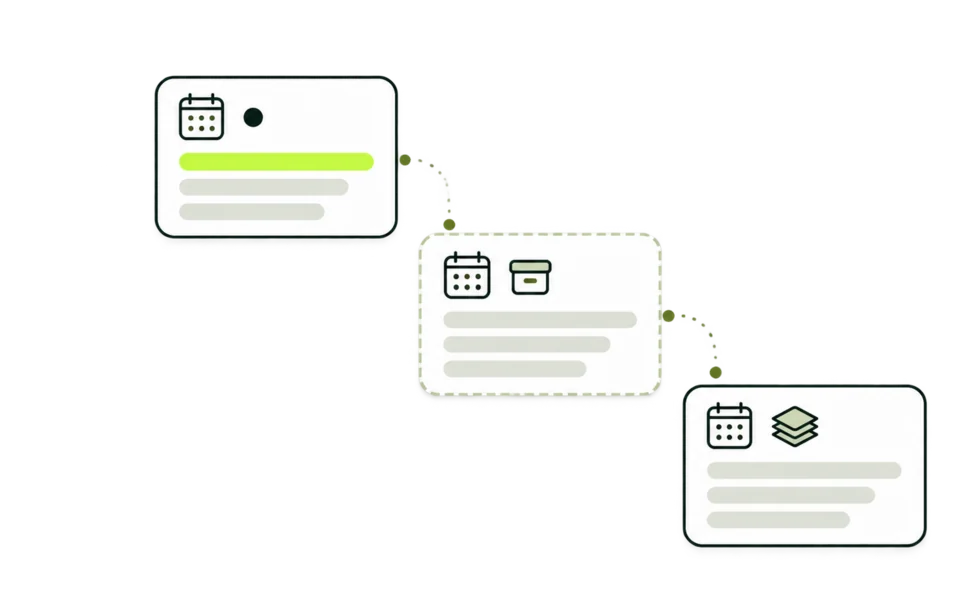
Why two scans of one site can differ
The list reflects the text that was scanned. Each of these changes that text.
- View source or element inspector
- View source shows the HTML the server sent. The browser’s element inspector shows the page after scripts ran, including tags a tag manager added.
- Homepage or inner page
- A page check reads the homepage. Article and category templates can carry other code, so paste their source to scan them.
- Consent and region
- Some sites hold ad code until a visitor accepts cookies, or serve it only in some countries. Our request makes no consent choice.
- Caching
- A CDN or page cache can keep serving an older homepage for a while after an edit.
- Redirects
- A page check follows redirects, so the IDs come from the page where the request lands.
- Firewalls
- A rule that refuses outside requests sends a page check to the fallback records, or leaves it inconclusive.

What to enter
The paste box takes any text. The page check takes a domain and always reads that site’s homepage.
Paste accepts
data-ad-client="ca-pub-XXXXXXXXXXXXXXXX"Page source, from view source or the element inspector.
google.com, pub-XXXXXXXXXXXXXXXX, DIRECTLines from an ads.txt file.
pub-XXXXXXXXXXXXXXXXA bare ID in notes, an email or a spreadsheet.
Listed as
-
ca-pub-XXXXXXXXXXXXXXXXbecomespub-XXXXXXXXXXXXXXXXThe ca- part is dropped.
-
CA-PUB-XXXXXXXXXXXXXXXXbecomespub-XXXXXXXXXXXXXXXXCapitals are read as lowercase.
Left out
pub-0000000000000000All-zero IDs are skipped.
Over 262,144 unitsThe whole paste is refused and nothing is scanned.
Over 200 matchesThe scan stops and shows no partial list.
Page check accepts
example.comA bare domain.
blog.example.comA subdomain is checked as its own site.
https://example.comA URL with or without https://.
Changed before the check
-
https://www.example.com/post?id=7becomesexample.comScheme, www, path and query are removed.
-
Example.COMbecomesexample.comLetters are lowercased.
-
example.com:8080becomesexample.comThe port is dropped.
Page check refuses
localhostA name without a dot is not a public site.
192.0.2.10IP addresses are not checked.
intranet.localReserved endings such as .local, .test and .internal.
pub-XXXXXXXXXXXXXXXXAn ID in this field returns Invalid input. Paste it into the paste box.
Example scans
Illustrative examples. The first uses the sample text behind Load local example; the others use placeholder input.
The built-in example
Load local example
- You see
- pub-1234567890123456 · Common format · 3 occurrences
pub-123 · Incomplete candidate · 1 occurrence - What it means
- The sample writes one ID three times: with ca- in front, inside an HTML comment and as a bare pub- ID. All three land in one row. pub-123 has too few digits to be a full ID.
- Next
- Clear the box, paste your own source and scan it the same way.
An ads.txt file
google.com, pub-XXXXXXXXXXXXXXXX, DIRECT, f08c47fec0942fa0
- You see
- One row for each pub- ID in the file, each with its occurrence count and the seller line around it.
- What it means
- These are the accounts the file authorizes to sell ads. The file can list partners’ IDs next to the site’s own.
- Next
- Paste the page source under the ads.txt lines to see which of these IDs the page code uses.
Homepage with no ID in its HTML
example.org
- You see
- No signal found in the fetched page. Publisher IDs found reads 0 and Live page reads Not detected in this fetch.
- What it means
- The HTML sent to our request held no ID. A tag manager or a consent tool may still add code in the browser.
- Next
- Open the page, copy the source from the element inspector and use Paste source.
Source over the size limit
- You see
- Input exceeds 262,144 UTF-16 code units. Use a smaller source excerpt; nothing was scanned.
- What it means
- Nothing is cut short. The scan reads the whole text or none of it, so a list always covers everything you pasted.
- Next
- Paste the head section and the ad blocks only, or scan the page in two parts.
Checking your own pages
If you run the site, these checks catch the usual ID problems after a theme change, a plugin update or a sale.
-
The digits match your account
Compare the 16 digits in your code with the publisher ID shown in your AdSense account.
-
Each template carries one ID
Scan the homepage, an article and a category page. A second ID can come from an old theme, a plugin, a widget or an ad partner.
-
ads.txt names the ID your code uses
Paste your ads.txt lines together with the page source. The ID in your ad code should also appear on a google.com line.
-
Old IDs are gone
After a site sale or a redesign, remove code that carries an ID you do not recognize, then scan again.
-
Tag manager output is in the paste
If a tag manager loads AdSense, copy the source from the element inspector so the inserted tag is part of the text.
-
The live page matches your edit
Clear the site and CDN caches, then run Check a public page to see what an outside request receives.
The AdSense Approval Checker also reports whether the homepage pub- ID is listed in ads.txt.
Questions this finder leaves to other tools
An ID in the text answers one question well. These questions need another source.
Four tools that read publisher IDs
Each one reads IDs from a different place. Pick by the question you have.
| Publisher ID Finder This tool | AdSense Checker | AdSense Ban Checker | Reverse AdSense Lookup | |
|---|---|---|---|---|
| Answers | Which pub- IDs appear in a page or in text you paste | Which publisher IDs the homepage carries, and where each came from | Whether the homepage answers a public request, and which signals come back | Which sites were recorded with an ID |
| You enter | Pasted HTML, ads.txt or any text, or a domain | A domain | A domain | A domain or a pub- ID |
| It reads | Your text in this browser, or the live homepage with fallback records | The live homepage, with fallback records | The live homepage response | Our monthly index |
| Result | Each ID once, with format label, count and snippets | IDs with source, date and index match | Access, signals and a fixed ads.txt note | Sites with estimated visits and data month |
| Works before launch | Yes, on pasted drafts and templates | Live sites only | Live sites only | Sites already in the index |
Who uses the finder
It fits the moments when you have source in hand, or a site to look at, and need the ID out of it.
-
Site owners
Confirm the right ID is in a new theme before it goes live. The paste box works as an AdSense ID finder for drafts and staging copies.
-
Developers
Audit templates and plugin output after a redesign, and catch a stray ID in a footer or a widget.
-
Site buyers
See which IDs a listed site carries, then ask the seller which account each one belongs to.
-
Ad operations teams
Check that the page code and the ads.txt lines of each property name the same account.
Terms used on this page
The labels on the finder, in the order you meet them.
- Publisher ID
- The number that identifies an AdSense account: pub- followed by digits, 16 of them in the common format.
- ca-pub- prefix
- The same ID as ad code writes it. The finder drops ca- so both spellings group together.
- Candidate
- Any pub- followed by digits in the text. The finder lists every candidate and labels its format.
- Common format
- 16 digits, the length of a standard publisher ID.
- Non-standard candidate
- 10 to 15 digits, or more than 16.
- Incomplete candidate
- Fewer than 10 digits, as in a cut-off copy or a typo.
- Occurrence
- One place in the text where the ID appears, in any spelling.
- UTF-16 code unit
- The unit browsers use to measure text. Plain ASCII takes one unit per character; some symbols and emoji take two.
Common questions
Is the text I paste sent to PubMonitor?
The scan runs in this browser tab and the text stays on the page. Clear empties the box. The paste box and the match list are also masked in session recordings.
Can this AdSense pub ID checker tell me whether an ID is valid?
Only whether it has the usual format. The checker marks 16 digits as the common format and other lengths as non-standard or incomplete. Only AdSense can say whether the account behind an ID is active, approved or limited.
Why does the list show pub- when my code says ca-pub-?
Both name the same account. Ad code writes ca-pub-, ads.txt writes pub-, and the finder lists every ID as pub- so the two spellings group into one row.
Does a page check read ads.txt?
A page check reads the homepage HTML. To scan an ads.txt file, open example.com/ads.txt in your browser, copy the text and paste it into the box.
Why did a page check find nothing when I can see ads?
The page check reads the first HTML response and runs no scripts. Tags added by a tag manager, released after a consent choice or served only in some countries arrive later in the browser. Copy the source from the element inspector and paste it.
Can one page carry more than one publisher ID?
Yes. Revenue-share setups, ad partners and embedded widgets can each add one. A paste scan lists every distinct ID; a page check lists up to ten and shows the total.
Is a publisher ID private?
The ID sits in the public code of every page that shows AdSense ads, and on the google.com line of the site’s ads.txt file when it has one. Anyone can read it there.
How do I see other sites that use an ID?
Each row has Look up related sites. It opens an AdSense pub ID lookup in Reverse AdSense Lookup with the ID filled in, and the lookup runs when you press its button.
Is there a limit on how many checks I can run?
Paste scans run on your device and have no limit. Page checks count each new domain toward a rolling fair-use limit, and repeat checks of the same domain do not. Signing in gives a separate budget.
Scan another source
Paste source or enter a domain in the finder above. Pasted text stays in this browser.