AdSense Approval Checker
We check 80 requirements on one public site and rank what to fix before you apply.
Trimmed to the site's root domain. AdSense reviews the whole site, so we start at the homepage.
Checks the homepage, a sample of content pages, and an AI content review. A full run usually takes 1–2 minutes.
If the homepage carries AdSense code, the report's publisher list uses one domain lookup for signed-in users.
Guests get 1 free precheck a day, verification required. Sign in for 3 a day. No card required.
Sign in for 3 prechecks a day. The free allowance resets at midnight UTC.
What the report returns
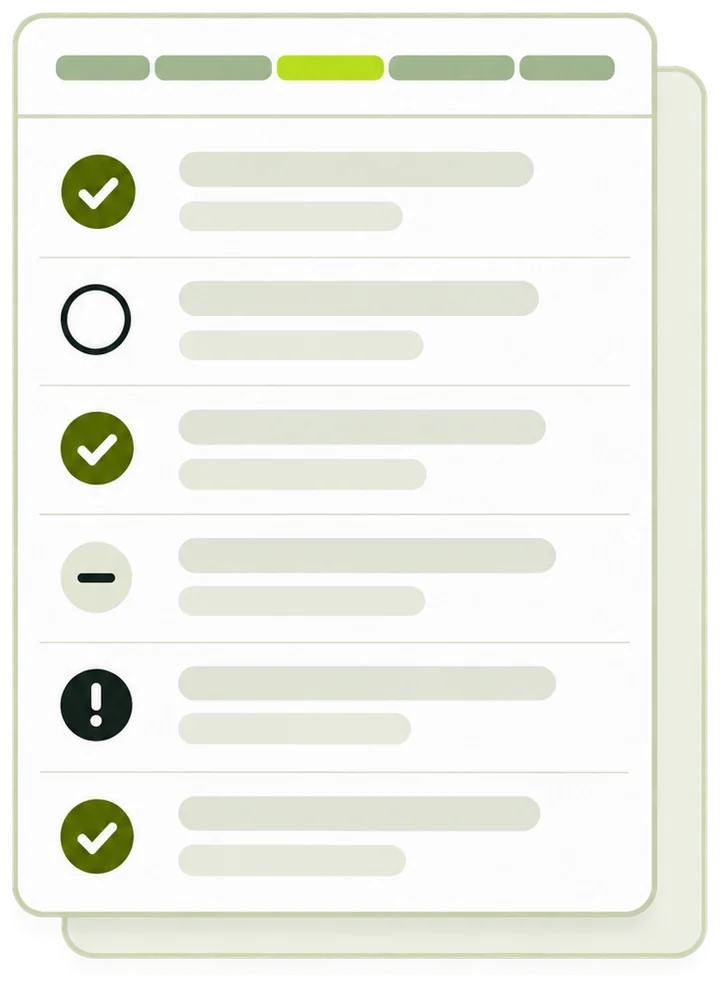
- A decision and a fix list A plain-language verdict, then blocker, high and medium items in the order to fix them, each with the evidence we saw.
- Sampled pages and ad code The pages we read, a short written review, and any ad code and pub- ID already on the homepage.
- Measured directly
- 25 requirements
- Read by AI
- 39 requirements
- Only you can confirm
- 16 requirements
Checking
What to fix
Grouped by how badly each one blocks approval. Within a group, the quickest fixes come first.
-
Fix
Only you can confirm
These cannot be checked from outside your site. They are not failures.
Fixed something? Re-run to watch it clear. A re-run within 15 minutes replays this saved report for free; after that, a fresh run uses your daily allowance.
What a reviewer sees
writing…Hand off to your AI
Paste into ChatGPT, Claude or Codex. The brief is written in your current language, with every finding, so the model can work through the fixes with you.
Ad code already on this site
Upgrade to see how many other domains this publisher runs.
Ad code was found on the page: .
Code on the page doesn't mean the site is approved: an unapproved publisher ID serves blank slots.
The full checklist
All 80 requirements, grouped the way Google's own policies are. Every one of them assessed below.
Eligibility & account
5 requirements- Applicant is 18 or older, or uses a parent/guardian account · AdSense eligibility requirements Only you can confirm Fix
- No duplicate AdSense account exists for the same publisher · AdSense eligibility requirements Only you can confirm Fix
- Site content complies with Program and Publisher policies overall · AdSense Program policies · Google Publisher Policies Measured directly Fix
- Hosted-platform sites use the hosted-account flow · AdSense eligibility requirements Measured directly Fix
- Payee address is in a country AdSense supports · AdSense eligibility requirements Only you can confirm Fix
Ownership & readiness
8 requirements- You can place AdSense code in every page's <head> · Site ownership & verification Only you can confirm Fix
- You are applying with a site you own and can verify · Site ownership & verification Only you can confirm Fix
- Pages return complete HTML; main content is not JS-only · AdSense crawler access Measured directly Fix
- Site is added to the AdSense site list and verified · Site ownership & verification Only you can confirm Fix
- At least one ownership verification method is deployable · Site ownership & verification Only you can confirm Fix
- ads.txt contains a valid Google authorization line · ads.txt guidance Measured directly Fix
- ads.txt is published at the domain root · ads.txt guidance Measured directly Fix
- Site lives on a domain you control, not a platform sub-profile · AdSense eligibility requirements Measured directly Fix
Content quality
10 requirements- Content is original, useful and relevant to visitors · AdSense Program policies Read by AI Fix
- Not built on copied, syndicated or embedded content without added value · AdSense Program policies Read by AI Fix
- Main content is substantial; no widespread thin pages · AdSense Program policies Measured directly Fix
- Site is complete — no under-construction or placeholder sections · AdSense Program policies Measured directly Fix
- Ads and affiliate blocks do not dominate publisher content · Ad placement policies Read by AI Fix
- Primary content language is supported by AdSense · AdSense eligibility requirements Measured directly Fix
- Comments and user-generated content are moderated · Google Publisher Policies Read by AI Fix
- No keyword stuffing, doorway pages, or search-engine-first pages · AdSense Program policies Read by AI Fix
- Not predominantly mass-generated content lacking editorial value · AdSense Program policies Read by AI Fix
- Pages add information not already available elsewhere · AdSense Program policies Read by AI Fix
Navigation & trust
6 requirements- Navigation is clear and functional on desktop and mobile · AdSense Program policies Read by AI Fix
- Visitors can tell what the site is and reach its content · AdSense Program policies Read by AI Fix
- No deceptive navigation, fake buttons, or links to nothing · Google Publisher Policies Read by AI Fix
- No forced redirects, auto-downloads, popunders or setting changes · Google Publisher Policies Read by AI Fix
- About, Contact and Privacy Policy pages exist and are real · AdSense Program policies Measured directly Fix
- Layout does not prioritise ad slots over content · Ad placement policies Read by AI Fix
Crawlability & technical
9 requirements- Site is live and publicly reachable; key pages return no 4xx/5xx · AdSense crawler access Measured directly Fix
- robots.txt does not block Mediapartners-Google / AdsBot-Google / Googlebot · AdSense crawler access Measured directly Fix
- Main content is reachable by GET without POST-only state · AdSense crawler access Measured directly Fix
- No excessive or fragile redirect chains · AdSense crawler access Measured directly Fix
- URLs are stable and free of session identifiers · AdSense crawler access Measured directly Fix
- DNS, TLS and hosting respond reliably · AdSense crawler access Measured directly Fix
- A sitemap and stable index paths exist · AdSense crawler access Measured directly Fix
- No login wall, IP restriction, geoblock or WAF rule blocks the crawler · AdSense crawler access Measured directly Fix
- meta robots / X-Robots-Tag do not noindex the main content · AdSense crawler access Measured directly Fix
Program policies
7 requirements- No self-clicks or artificially inflated impressions · AdSense Program policies Only you can confirm Fix
- No copy encouraging visitors to click ads · AdSense Program policies Read by AI Fix
- Ads are distinguishable from content; labels are neutral · Ad placement policies Read by AI Fix
- Traffic sources are legitimate · AdSense Program policies Only you can confirm Fix
- Ad code is not modified to inflate performance · AdSense Program policies Measured directly Fix
- Ads appear only on normal content pages · Ad placement policies Only you can confirm Fix
- WebView monetization requirements (apps only) · AdSense Program policies Measured directly Fix
Prohibited content
17 requirements- No illegal content or promotion of illegal activity · Google Publisher Policies Read by AI Fix
- No IP infringement, counterfeit goods or brand abuse · Google Publisher Policies Read by AI Fix
- No hate, harassment, threats, self-harm or violence glorification · Google Publisher Policies Read by AI Fix
- No animal cruelty or endangered-species products · Google Publisher Policies Read by AI Fix
- No misrepresentation of identity, purpose or affiliation · Google Publisher Policies Read by AI Fix
- No phishing, PII harvesting or get-rich-quick deception · Google Publisher Policies Read by AI Fix
- No content enabling cheating, cracking or unauthorized tracking · Google Publisher Policies Read by AI Fix
- No paid sexual services, marriage brokering, or adult themes in family content · Google Publisher Policies Read by AI Fix
- Publisher identity and ad request data are accurate and complete · Google Publisher Policies · ads.txt guidance Measured directly Fix
- Ads do not obstruct content or trap users on a screen · Ad placement policies Read by AI Fix
- No ads on empty, low-value or under-construction pages · Ad placement policies Read by AI Fix
- Ads are not served out of context or off-screen · Ad placement policies Read by AI Fix
- No false claims undermining elections, health or climate consensus · Google Publisher Policies Read by AI Fix
- No manipulated media deceiving on matters of public concern · Google Publisher Policies Read by AI Fix
- No content endangering or sexualizing minors — immediate hard blocker · Google Publisher Policies Read by AI Fix
- Sensitive events are not exploited or treated insensitively · Google Publisher Policies Read by AI Fix
- No malware, unwanted software or deceptive downloads · Google Publisher Policies Read by AI Fix
Restricted content
8 requirements- Sexual content, adult products or sexual-health supplements · Google Publisher Restrictions Read by AI Fix
- Shocking, graphic or prominently profane content · Google Publisher Restrictions Read by AI Fix
- Weapons, firearm parts, or assembly/modification instructions · Google Publisher Restrictions Read by AI Fix
- Tobacco, recreational drugs or paraphernalia · Google Publisher Restrictions Read by AI Fix
- Alcohol sales or promotion of irresponsible drinking · Google Publisher Restrictions Read by AI Fix
- Online gambling or paid games of chance · Google Publisher Restrictions Read by AI Fix
- Prescription drugs, online pharmacies or unapproved supplements · Google Publisher Restrictions Read by AI Fix
- Ad-obstruction implementations (overlays, sticky video violations) · Ad placement policies Read by AI Fix
Privacy & data
10 requirements- A privacy policy is published and discloses data collection incl. cookies · AdSense Program policies Measured directly Fix
- The policy discloses that third parties serve ads using cookies or beacons · AdSense Program policies Measured directly Fix
- No personally identifiable information is passed in ad requests · AdSense Program policies Only you can confirm Fix
- EU/UK traffic is covered by a certified consent mechanism · EU user consent policy Measured directly Fix
- Precise location collection is disclosed and consented · AdSense Program policies Only you can confirm Fix
- Child-directed content is flagged; no interest-based targeting for children · AdSense Program policies Read by AI Fix
- No setting, modifying or deleting cookies on Google domains · AdSense Program policies Only you can confirm Fix
- No targeting or audience building on sensitive categories · AdSense Program policies Only you can confirm Fix
- US/CA: no housing, employment or credit targeting by protected attributes · AdSense Program policies Only you can confirm Fix
- Personalized ads: data rights confirmed and IBA disclosures shown · AdSense Program policies Only you can confirm Fix
Checklist version 2026-08-18, reflecting Google policy as published on 2026-08-18. Where this checklist and Google's official documentation disagree, the official documentation wins.
Field notes, not policy
Google has never documented how its review scoring works. These are patterns publishers report, so treat them as working experience.
- After a rejection, fix before you resubmit. Resubmitting without real changes tends to earn another rejection. Fix the flagged items, re-run the check to confirm they clear, then give it some time before applying again.
- Unusual layouts draw more scrutiny. First-pass reviews lean on automated classifiers. Sites with a conventional structure (clear menus, an article layout, visible categories) tend to get through them more easily.
- First-hand material counts. Rewording other pages does not add value. Your own testing, data and analysis do.
How the readiness check works
Enter one site. PubMonitorBot reads its public pages, rules and an AI reviewer go through 80 requirements, and the report puts what to fix first at the top.
-
Enter the site
Type a domain or paste any page address. The check starts at the homepage of that host, because a reviewer looks at the whole site.
-
The homepage is fetched
PubMonitorBot asks for it over HTTPS, tries plain HTTP if that fails, and follows redirects. If the homepage does not answer, the run stops and is not counted.
-
Site files and pages are read
robots.txt, ads.txt and sitemap.xml come next, then the About, Contact and Privacy Policy pages and up to 5 content pages.
-
Each requirement gets a verdict
25 requirements are measured by rules, 39 are read by an AI reviewer from the sampled pages, and 16 are left for you to confirm.
-
You get the report
A plain verdict, the fixes in order, a written review and a brief you can paste into an AI assistant.
- Requirements in 9 groups
- 80
- Content pages sampled, at most
- 5
- Requests to the site, at most
- 14
- Usual time for a full run
- 1–2min
What the check reads
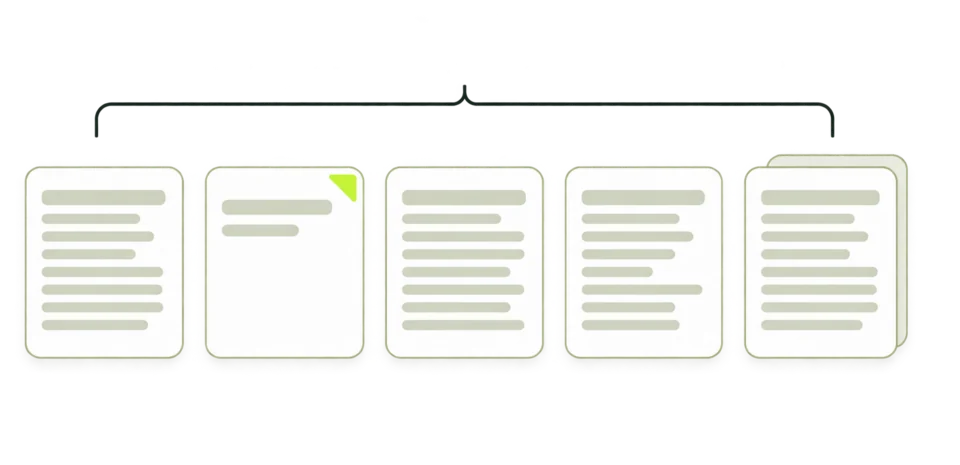
Every request is a plain GET from PubMonitorBot, and nothing behind a login is requested. Each file feeds a different part of the checklist.
-
Homepage
Status, redirects, response time, title, language, word count, noindex signals, ad code, consent tools and access blocks such as a login wall or a Cloudflare challenge.
https://example.com/ -
robots.txt
Whether a site-wide Disallow applies to Googlebot, Mediapartners-Google or AdsBot-Google.
/robots.txt -
ads.txt
Whether the file answers at the root, whether it has a google.com line and which pub- IDs it lists.
/ads.txt -
Sitemap
Whether the sitemap exists and how many URLs it lists. In a sitemap index, the first child sitemap is read.
/sitemap.xml -
Trust pages
About and Contact are found through the homepage links, or one common address is tried. The privacy policy is opened and read for cookies and third-party advertising.
-
Content pages
Up to 5 content pages from the sitemap, or from homepage links when there is none, spread across sections with the newest first. Each gives a word count and an excerpt for the AI reviewer.
Lines the measured checks look for
Many blocking problems sit in a few lines of text that a normal page view never shows. This sample marks the lines the rules read.
-
Crawler rules
A Disallow: / for Googlebot, Mediapartners-Google or the * group is a blocker. AdsBot-Google counts only when the file names it. Rules for single folders are not flagged.
-
Noindex
A robots meta tag or an X-Robots-Tag header with noindex on the homepage is flagged. Neither shows in a normal page view.
-
Ad code
When the page already carries AdSense code, the check looks for the standard adsbygoogle.js tag and reads its publisher ID. A rewritten tag is flagged.
-
ads.txt line
The file has to answer at the root with a google.com line. The pub- ID in the ad code is compared with the IDs the file lists.
-
Privacy wording
The privacy policy has to mention cookies or a similar technology, and third-party advertising or Google. The check reads the text for both.
Reading a report
A finished run opens the report under the workbench: the verdict first, then the fix list, with the written review and the details beside it.
-
Plain verdict
One sentence on whether to apply now, up to three problems in plain words, and the first thing to change.
-
Decision
Ready to submit, Fix these first or Not ready yet. Any blocker gives Not ready yet.
-
Counts
How many requirements passed, failed at each severity, are left for you, could not be verified or do not apply. Zero counts are hidden.
-
What to fix
Blocker, then High, then Medium, then Not verified. Each item shows its ID, the evidence we saw and the fix, and within a group the quickest fixes come first.
-
Only you can confirm
Self-checks for things no outside tool can see. They never count as failures.
-
Beside the report
The written review, the Copy report for your AI assistant button, any ad code already on the homepage, and the pages we sampled with their word counts.
-
Coverage
Under the full checklist, every one of the 80 rows gets its verdict, and a coverage line confirms how many were assessed.
Result states
The decision banner uses one of three names. A run that cannot finish says so in the workbench instead.
Three ways a requirement is checked
Each requirement has one fixed mode, shown beside it in the full checklist. The mode tells you how much weight a verdict can carry.
-
Measured directly
25 requirements. Rules read files, headers, status codes and word counts. On an unchanged site two runs give the same answer.
-
Read by AI
39 requirements. An AI reviewer reads excerpts of the sampled pages for originality, ad placement and restricted topics, and cites what it saw. Weak evidence is reported as Not verified.
-
Only you can confirm
16 requirements. Age, account history, payee country and traffic sources cannot be seen from outside, so each one comes with a self-check.
An AdSense eligibility checker can only read what is public. To check AdSense eligibility in full, you also answer the self-checks, because age, account history and traffic sources are part of eligibility too.
Not verified and Only you can confirm mean different things. Only you can confirm is a fixed part of the list and never changes the decision. Not verified means this run could not assess the item, for example when the AI review was unavailable or no content page could be sampled, and it stops the decision from reaching Ready to submit.
Where the requirements come from
The checklist is written from the public AdSense and publisher policies and grouped the way those policies are. This is version 2026-08-18, reflecting the policies as published on 2026-08-18.
- Eligibility & account5 requirements
- Age, one account per publisher, payee country, hosted platforms and overall policy compliance.
- Ownership & readiness8 requirements
- Access to every page head, site verification, complete HTML, ads.txt at the root with a google.com line, and a domain you control.
- Content quality10 requirements
- Originality, depth across the sampled pages, finished sections, ad density, a supported language, moderated comments and mass-produced pages.
- Navigation & trust6 requirements
- Clear menus, honest buttons, no forced redirects, and real About, Contact and Privacy Policy pages.
- Crawlability & technical9 requirements
- Reachable pages, crawler rules, redirects, session IDs, TLS and response time, the sitemap, access blocks and noindex.
- Program policies7 requirements
- Invalid clicks, requests to click ads, ad labels, traffic sources, unmodified ad code, where ads may run and WebView rules for apps.
- Prohibited content17 requirements
- Illegal, hateful, deceptive and dangerous content, malware, publisher identity, and ads that cover content or trap visitors.
- Restricted content8 requirements
- Adult themes, shocking content, weapons, drugs, alcohol, gambling, pharmacies and obstructive ad formats.
- Privacy & data10 requirements
- Privacy policy wording, personal data in ad requests, consent for EU and UK visitors, location data, children and sensitive targeting.
Each row in the full checklist names the policy document behind it, such as AdSense Program policies or the EU user consent policy. When the list and the official documents differ, the official documents take precedence.
What can change a result
A report describes one run. These changes can move a requirement from one verdict to another.
- Your fixes
- Edits to robots.txt, ads.txt, templates or policy pages show up on the next fresh run.
- The replay window
- Running the same site again within 15 minutes replays the saved report. Changes made in that window show once it has passed.
- Sampled pages
- Pages are picked from the sitemap on every run. New posts or a changed sitemap can change which pages are read and their word counts.
- The AI reading
- Read by AI items come from a model reading excerpts, so a borderline item can come out differently on another run. Measured items do not move on an unchanged site.
- Firewalls and hosting
- A new bot rule, a browser challenge or a slow host can turn readable pages into blocked or unverified items.
- Checklist version
- When the policies change, the checklist version and its date change with them. Both are shown under the full checklist.
What to enter
A domain is enough. Any page address works too, because the check always starts at the homepage.
Accepted
example.comA bare domain.
blog.example.comA subdomain is checked as its own site, from its own homepage.
https://example.com/post/123Any page address on the site.
Changed before the check
-
https://www.example.com/post?id=7becomesexample.comThe scheme, www., path and query are removed.
-
Example.COMbecomesexample.comLetters are lowercased.
-
example.com:8080becomesexample.comPort numbers are dropped. Names in other scripts are converted to their ASCII form.
Not accepted
localhostA name without a dot is not a public site.
192.0.2.10IP addresses are not checked.
intranet.localReserved endings such as .local, .test and .internal are not checked.
pub-XXXXXXXXXXXXXXXXA publisher ID. Reverse AdSense Lookup takes those.
Example reports
Four runs with four different outcomes. Each one uses a placeholder domain.
Crawler shut out
example.com
- You see
- Not ready yet. What to fix opens with a blocker: robots.txt disallows Mediapartners-Google.
- What it means
- The AdSense crawler is told to stay away from every page, so a reviewer has nothing to read.
- Next
- Delete the Disallow: / rule for that crawler and run the check again.
Thin sampled pages
example.org
- You see
- Fix these first. A High item says the median body length across the sampled pages is below the 400-word mark.
- What it means
- The pages that were read are short on original text, so the site reads as thin.
- Next
- Expand or merge the thin pages, then run the check again once the sitemap lists the new versions.
No consent tool found
blog.example.com
- You see
- Fix these first, with a Not verified item: no consent management platform was detected on the homepage.
- What it means
- From outside, the check cannot tell whether EU or UK visitors reach the site, so it neither passes nor fails the item.
- Next
- Check your analytics for EU and UK visits. If there are any, add a certified consent platform before ads go live.
Homepage does not answer
example.net
- You see
- We couldn't reach example.net (the site did not respond in time). No report, and the run is not counted.
- What it means
- Without a homepage there is nothing to review, for the check or for a reviewer.
- Next
- Fix the hosting or firewall rule that blocks outside requests, then try again.
Before you apply
As a website AdSense approval checker, the tool tells you what to fix. Work through these before you send the application.
-
Clear every blocker
A single blocker keeps the decision at Not ready yet, whatever else passes.
-
Let the crawlers in
Remove site-wide Disallow rules for Googlebot, Mediapartners-Google and AdsBot-Google, and any noindex left over from a staging setup.
-
Publish the trust pages
Link About, Contact and Privacy Policy from every page. The privacy policy should mention cookies and third-party advertising.
-
Give reviewers enough to read
The check flags a median body length below 400 words across the sampled pages. Finish or remove placeholder sections.
-
Put ads.txt at the root
Add the google.com line with your own pub- ID once you have one. The ads.txt Generator drafts the line for you.
-
Answer the self-checks honestly
Age, a single account, payee country, head access and traffic sources. The report lists all 16.
-
Run it again after the fixes
A fresh run shows each fixed item as passed, so you can watch the list shrink.
The brief for your AI assistant
Copy report for your AI assistant puts a Markdown work order on your clipboard. It carries the whole report, so an assistant can work through the fixes with you.
- Instructions
- Four tasks for the assistant: work through the failures in order, rebuild thin pages with first-hand material, explain how to settle each self-check and gap, and finish with a retest list.
- Site facts
- The homepage URL, HTTP status, title, word count and declared language, with the time of the check.
- Decision and counts
- The decision, and how many items passed, failed, are yours to confirm, were not verified or do not apply.
- Failures by severity
- Blocker, High and Medium items, each with its ID, the evidence and the fix.
- Self-checks and gaps
- The items only you can confirm, and any item this run could not verify.
- Sampled pages
- Every page that was read, with its word count or its error status.
- Full checklist
- A table of all 80 requirements with ID, status, requirement and notes.
The brief is written in the language of the page and keeps item IDs such as AP-CRWL-02, so you and the assistant can point at the same row.
Questions this check leaves to other tools
The AdSense readiness check reads a site from outside. These questions need an account, a live file review or another data source.
AdSense Approval Checker and related tools
Four tools look at a site from outside. Each one answers a different question.
| AdSense Approval Checker This tool | AdSense Checker | AdSense Ban Checker | ads.txt Generator | |
|---|---|---|---|---|
| Answers | What to fix on a site before you apply | Which publisher IDs a homepage carries | Whether the homepage answers a public request | What your ads.txt file should say |
| You enter | A domain or any page address | A domain | A domain | Seller rows, or your current file |
| It reads | Homepage, site files, trust pages and up to 5 content pages | The live homepage, with fallback records | The live homepage response | Only what you type or paste |
| Result | A decision, a ranked fix list and a brief to copy | IDs with source, date and index match | Access status and the signals found | Plain text to copy or download |
Terms used in the report
The verdicts and labels in the report, with what each one means for your application.
- Pass
- The requirement is met on the evidence gathered in this run.
- Blocker
- A problem that gets an application rejected on its own. Any blocker sets the decision to Not ready yet.
- High
- Likely to cause a rejection. Fix it before you apply.
- Medium
- Worth fixing before you apply.
- Not verified
- This run could not assess the requirement. It is never counted as a pass, and it stops the decision from reaching Ready to submit.
- Only you can confirm
- A requirement no outside tool can see, listed with a self-check. It never changes the decision.
- N/A
- Does not apply to this site, such as the WebView rule for apps.
- Plain verdict
- The sentence at the top of the report, written without IDs or scores.
- Policy snapshot
- The publication date of the policies the checklist reflects: 2026-08-18.
Common questions
Will this get me approved?
No tool can promise that. The report lists the problems we can see from outside, and Google makes the final decision.
Can I check a site I do not own?
Yes. The check reads only public pages: the homepage, robots.txt, ads.txt, the sitemap, policy pages and a few articles. On a site that already runs ads it works as a website monetization checker too, showing the homepage ad code and whether its pub- ID is listed in ads.txt.
Why was something flagged that I cannot see in my browser?
Usually a noindex directive, in a meta tag or an X-Robots-Tag header left over from staging. Browsers show neither. A robots.txt rule that blocks the AdSense crawler is another.
What happens if the AI review is unavailable?
You still get a report. The 25 measured requirements do not depend on the AI. Requirements the AI could not read are marked Not verified and never count as passed, and a note at the top of the report says so.
How is the fix list ordered?
By severity first: Blocker, High, Medium, then Not verified. Within each group, the items that weigh most on approval and take the least work come first, so a missing paragraph in your privacy policy comes before a site-wide content rewrite.
How long does a check take?
Usually one to two minutes. The homepage and site files come first, then the sampled pages and the AI content review. The page stops waiting after four minutes.
How many checks can I run?
A free account gets 3 a day, Pro 20 and Business 50. Guests get 1 a day with a verification step when guest runs are open. Running the same site again within 15 minutes replays the saved report and does not count.
Does a failed run use up my allowance?
No. When the homepage cannot be reached or the service fails, the run is refunded and the message says it was not counted. If you stop a run, start the same site again within 15 minutes: a run that had already finished comes back from the saved report for free.
Does the check use my domain lookup allowance?
Runs have their own daily allowance. The one exception: when you are signed in and the homepage carries AdSense code, the report shows how many domains our index records with that publisher ID, and that uses one domain lookup.
Is the report connected to my AdSense account?
No. PubMonitor reads public pages only and has no access to any AdSense account, so account history, payments and policy notices stay out of the report.
Check a site before you apply
Enter the site in the checker above. A full run usually takes one to two minutes.
PubMonitor is not affiliated with Google. Google reviews factors no outside tool can see.