Ad Network Checker
See which of eight listed ad networks and recommendation widgets appear in the HTML of one public page.
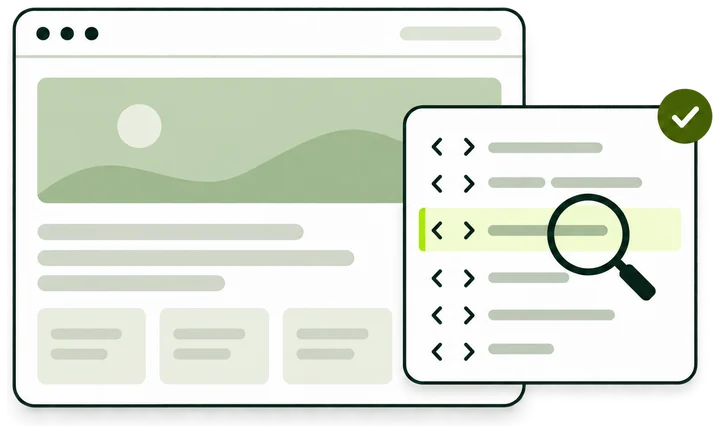
What the check returns
- Ad networks Detected, not detected or inconclusive for each network on a fixed list, with the tag that matched.
- Recommendation widgets Taboola and Outbrain get their own group, apart from display ad networks.
- One page, one fetch Only the HTML the server returns for this URL. Tags added after consent or by a tag manager can be missing.
How the check works
One request for the page you enter, one pass over the tags in its HTML, and a row for each entry on the signature list.
-
Paste a page URL
Enter the full address of a public page, such as an article. Path and query stay as typed, so the check reads that exact page.
-
We request it once
One GET request, with no cookies and no sign-in. Redirects are not followed, and the wait is capped at 8 seconds.
-
We read the tags
The first 512 KB of HTML is read, and its first 200 script, ins, iframe and img tags are compared with the signature list.
-
Each entry gets a row
Six ad networks and two recommendation widgets, each marked Detected, Not detected or Inconclusive.
- Entries on the list: six ad networks, two widgets
- 8
- Request per check, with no redirects followed
- 1
- Longest wait for the page
- 8s
- Of HTML read per page
- 512KB

The eight entries on the list
Like every ad network detector, this one knows only the networks it has signatures for. Version ad-network.v1 holds these eight, and every result shows all eight rows.
-
AdSense
Shown as Google AdSense. Matches the loader and ad servers, an ins tag with data-ad-client or data-ad-slot, and attribute values that start with ca-pub- or pub-.
pagead2.googlesyndication.com/pagead/js/adsbygoogle.js -
Ad Manager tag (GPT)
Shown as Google Ad Manager (GPT). Matches the publisher tag library from securepubads.g.doubleclick.net or www.googletagservices.com, or any src with gpt.js in it.
securepubads.g.doubleclick.net/tag/js/gpt.js -
Amazon ads
Shown as Amazon advertising. Matches scripts from c.amazon-adsystem.com or aax.amazon-adsystem.com, a src containing apstag or amzn_ads, and values that start with amzn_assoc.
c.amazon-adsystem.com/aax2/apstag.js -
Prebid
Matches any src whose path contains prebid.js or /prebid, on any host. A copy served from the site’s own domain counts.
/js/prebid.js -
Media.net
Matches scripts loaded from contextual.media.net or static.media.net, or a subdomain of either.
contextual.media.net/… -
Criteo
Matches scripts loaded from static.criteo.net or bidder.criteo.com, or a subdomain of either.
static.criteo.net/… -
Taboola
A recommendation widget, listed in its own group. Matches scripts from cdn.taboola.com or cds.taboola.com.
cdn.taboola.com/… -
Outbrain
A recommendation widget, listed in its own group. Matches scripts from widgets.outbrain.com or amplify.outbrain.com.
widgets.outbrain.com/…
What counts as a match
The check reads the attributes of tags as they appear in the page source. This sample source shows tags that match and places where a network’s code is present and still missed.
-
Loader on a listed host
The src host is pagead2.googlesyndication.com and the file is adsbygoogle.js. Either rule matches the Google AdSense row.
-
Ad Manager library
gpt.js from securepubads.g.doubleclick.net matches the Google Ad Manager (GPT) row.
-
Self-hosted file
Prebid is matched by file name on any host, so a copy served from the site itself counts.
-
No scheme in the src
Hosts are read from addresses that start with http:// or https://. Criteo, Media.net, Taboola and Outbrain match by host only, so this Criteo tag is missed.
-
Ad unit attributes
data-ad-client and data-ad-slot on an ins tag match Google AdSense even without a loader.
-
Slot container
Only script, ins, iframe and img tags are read, so this div is skipped. The GPT row still matches through the library tag.
-
Network named in text
Only tags count. An article that names a network leaves its row at Not detected.
-
Loader built by a script
Here the address is set in script code, with no tag markup around it. The check reads tag attributes only, so the Taboola row reads Not detected.
Reading a result
Every completed check ends in the same layout: the outcome, the time and list version, two counts, then the eight rows in two groups.
-
Outcome
Networks found in this page's HTML, No listed network in this page's HTML, or Check inconclusive. A widget alone is enough for the first title.
-
Checked and Final URL
When the check ran, in UTC, and the address that was read. With no redirects followed, it is the address you entered after cleanup.
-
Signature list
The list version used for this check. Two results with the same version can be compared line by line.
-
Ad networks detected
How many of the six ad network rows matched.
-
Widgets detected
How many of the two widget rows matched. Widgets are counted apart from ad networks.
-
Row tag
Detected, Not detected or Inconclusive for each entry, in the order of the list.
-
Matched tag
The type of the first tag that matched the entry: script, ins, iframe or img.
-
Next step and notes
A link to the AdSense Checker for publisher IDs, and a reminder that other pages, older records and ads.txt can show different networks.
Result states
The title of a result uses one of these names. Each one calls for a different next step.
An inconclusive check read nothing it could judge. The note under its title comes from one of these causes.
- Redirect
- The address answered with a redirect, such as http to https or a bare host to www. The check does not follow it. Enter the address your browser ends on.
- Access refused
- The server answered 401, 403 or 429: a sign-in wall, a firewall rule or a rate limit. The note says the page refused or limited access.
- No usable answer
- The page took longer than 8 seconds, the connection failed, or the server returned an error such as 404 or 500.
- Text encoding
- The HTML has to be valid UTF-8. A page in an older encoding with accented or non-Latin characters cannot be decoded.
- Our service
- The checking service was unavailable or sent back an incomplete answer. Your URL stays in the field for another try later.
Detected, not detected and inconclusive
Each row carries one of three tags. The difference between the last two matters most when you read a result.
- DetectedCode found
- A tag in the fetched HTML matched the entry. The row names the tag type that matched first, such as script or ins. It shows the code was in the page when we read it.
- Not detectedPage read
- The page was read and no tag in it matched this entry. The network can still load on other pages, after a consent choice or through a tag manager.
- InconclusiveNot read
- The page could not be read. Every row takes this tag at once, so a failed fetch is never reported as Not detected.
A result never mixes Inconclusive with the other two tags. When the fetch works, every row is Detected or Not detected. When it fails, all eight rows are Inconclusive together, and the counts are not shown.
What can change a result
A check describes one page at one moment. Two checks of the same site can differ for these reasons.
- Page template
- Home pages, category pages and articles often load different tags. A result describes the one page you entered.
- Consent tools
- Tags held until a visitor accepts cookies stay out of the first HTML. Our request makes no consent choice.
- Tag managers
- Code added from a tag manager container appears only after scripts run in a browser.
- Location
- Some sites serve different ad code by country. Each check is one request from one server location.
- Caching
- A page cache or CDN can keep serving an older copy for minutes or hours after the code changes.
- List version
- A later version of the signature list can match tags this one misses. Compare results that show the same Signature list value.
What to enter
The address of one public page. The check reads that page as you typed it, apart from the few changes below.
Accepted
https://example.com/article?id=1A full URL. Path and query are kept, so this exact article is read.
example.com/news/An address without a scheme gets https:// in front.
http://blog.example.com/An http address is fetched over http. A subdomain is read as typed, www included.
Changed before the check
-
HTTPS://Example.COM/Page?B=2becomeshttps://example.com/Page?B=2Scheme and host are lowercased. Path and query keep their case.
-
https://example.com:8080/pagebecomeshttps://example.com/pageA port number is dropped, and the standard port is used.
-
https://www.example.combecomeshttps://www.example.com/A bare host gets a trailing slash.
Not accepted
https://example.com/page#commentsA #fragment. Delete the # part and check again.
http://192.0.2.10/IP addresses are not checked.
https://user:[email protected]/A user name or password in the address.
intranet.locallocalhost and hosts ending in .local or .internal.
https://example.com/a pageA space anywhere in the address.
Example checks
Four pages, four results. Each example uses a placeholder address.
AdSense and Prebid on an article
https://example.com/article?id=1
- You see
- Networks found in this page's HTML. Google AdSense and Prebid read Detected, each with Matched tag: script.
- What it means
- The article’s HTML carried the AdSense loader and a Prebid library when we fetched it.
- Next
- Run the AdSense Checker on example.com to see which publisher ID the site uses.
Only a widget
https://blog.example.com/post-7
- You see
- Networks found in this page's HTML. Ad networks detected: 0 of 6. Widgets detected: 1 of 2, on the Taboola row.
- What it means
- The page carries a recommendation widget and none of the six ad network signatures.
- Next
- Check another article. Ad code may sit on other templates or arrive through a tag manager.
Nothing on the list
https://example.org/about
- You see
- No listed network in this page's HTML. All eight rows read Not detected.
- What it means
- The page was read, and none of its tags matched a signature.
- Next
- Pick a page that shows ads in your browser, or search its source for networks outside the list.
An address that redirects
http://example.net
- You see
- Check inconclusive. All eight rows read Inconclusive, with a note that the page could not be read.
- What it means
- The address answered with a redirect, which the check does not follow. Nothing was read.
- Next
- Open the address in a browser, copy the final URL from the address bar and check that.
Checking your own pages
When a result on a site you run surprises you, work through these in order.
-
Enter the final address
Open the page, copy the URL from the address bar and paste that. A redirect ends the check as inconclusive.
-
Pick a page that carries ads
Check the template you changed. An article and the home page can load different networks.
-
Put the loader in the template
A tag written into the HTML template is visible to this check. Tags injected by a tag manager or a consent tool appear only in the browser.
-
Clear caches first
Purge the page cache and the CDN after a change, then check again. Otherwise the old HTML can answer.
-
Delete old tags
After a partner switch, remove the old code instead of commenting it out. A tag inside an HTML comment is still read and still matches.
-
Keep ads.txt in step
A new network usually comes with ads.txt lines for your site. The ads.txt Generator drafts the file.
Questions this check leaves to other tools
Tags in the HTML answer one question well. These questions need a different source.
Ad Network Checker and related tools
Four tools read a site’s ad code from different angles. Pick by the question you have.
| Ad Network Checker This tool | AdSense Checker | Publisher ID Finder | AdSense Ban Checker | |
|---|---|---|---|---|
| Answers | Which of eight listed ad networks and widgets appear in one page’s HTML | Which AdSense publisher IDs the homepage carries, and where each came from | Which IDs appear on a page or in source you paste | Whether the homepage answers a public request, and which signals come back |
| You enter | A page URL, with its path and query | A domain | A domain, or pasted HTML or ads.txt text | A domain |
| It reads | One request for that page, with no redirects followed | The live homepage, with fallback records | The live homepage, or your text in your browser | The live homepage response |
| Result | Detected, not detected or inconclusive for each entry, with the matched tag | IDs with source, date and index match | ID candidates with the text around them | Access status and the signals found |
Who runs a network check
It works as a narrow ad tech stack checker: one page, eight entries, one moment. That makes it useful at a few specific times.
-
Site owners
Confirm a new partner’s tag made it into the article template after a release.
-
Ad operations teams
Check website ad network tags across a client’s templates, one page per run, and catch leftovers after a switch.
-
Site buyers
See which networks a listed site’s pages carry before you ask the seller about its ad setup.
-
Researchers
Detect ad networks on competitor articles, one URL at a time, and note the list version with each result.
Terms used on this page
The words on the workbench and in the sample source, in plain terms.
- Code signature
- A host, file name or attribute that identifies one network’s code in HTML.
- Signature list
- The fixed set of entries the check matches. The current version, ad-network.v1, has eight.
- src attribute
- The address a script, iframe or image loads from. Its host and path carry most signatures.
- Ad unit attributes
- data-ad-client and data-ad-slot on an ins tag. They mark an AdSense ad unit.
- Header bidding
- An auction in the browser that asks several buyers for bids before the ad server chooses. Prebid is an open-source library for it.
- Recommendation widget
- A block of sponsored and related links, usually under an article. Taboola and Outbrain are counted in their own group so the ad network count stays about display ad code.
- Tag manager
- A script that loads other tags from a container after the page opens.
- Fetched HTML
- The page source returned to our one request, before any script runs.
Common questions
Does Detected mean ads from that network were shown?
Detected means a matching tag was in the page’s HTML when we fetched it. Whether an ad then rendered depends on scripts, consent and auctions in the visitor’s browser, which a static check does not run.
Why does a network I can see on the site read Not detected?
The tag may be added by a tag manager or a consent tool after the page opens, or written by an inline script. Entries that match by host miss a src that starts with //. The tag may also sit on another template, or past the first 512 KB of HTML or the first 200 tags. Search the page source in your browser for the network’s domain.
Does an inconclusive check mean the page has no ad networks?
It means the page could not be read, so nothing is concluded in either direction. The note under the title names the cause: a redirect, a refused request, a slow or failing server, or an older text encoding. For a redirect, enter the address your browser ends on.
Which ad networks can this checker find?
This advertising network checker matches six ad networks and two widgets: AdSense, the Ad Manager tag (GPT), Amazon advertising, Prebid, Media.net and Criteo, plus Taboola and Outbrain. Code from any other network is not reported.
How is this different from the AdSense Checker?
The Ad Network Checker reads one page you choose and reports code signatures for eight entries. The AdSense Checker reads a domain’s homepage for publisher IDs and can fall back to archived or third-party records. The two can disagree about AdSense and both be right, because they read different evidence.
Does the check run JavaScript or accept cookies?
Neither. It sends one GET request without cookies, reads the HTML text that comes back and discards it. Nothing on the page is executed.
Does a check count toward my limit?
Each new site counts once toward the rolling fair-use limit that the other site checks share. More pages on the same site add no new target. Visitors who are not signed in also complete a short verification before the check runs.
Is the page I check stored?
No copy of the page is kept. The result holds only the eight rows, the matched tag types, the address, the time of the check and the list version.
Check another page
Paste a public page URL into the checker above. One check reads one page.